Essential
6 benefits
POINT 01
Physical security and management
Physical control of ports and cables
A matching release key can manage several compatible SMARTKEEPER PRO products. The range provides physical solutions for blocking unused ports and securing connected cables.
Would you buy a front-door key online?
Universal unlocking keys are not offered or sold online to maintain a high level of security and control. Personal verification and assignment of customer details help prevent unauthorised access. This protects customers against misuse and supports secure key allocation.
POINT 02
Unlocking key management by the manufacturer
For orders including unlocking keys, customer details such as name, department and contact information are always requested and confirmed directly with the responsible person. Some customers use stricter procedures for managing their unlocking keys in agreement with us.
Example 01
Electronics company L uses SMARTKEEPER Pro products across all its production sites. Operational staff cannot purchase unlocking keys themselves; additional purchases are made exclusively through the security team.
Example 02
At an automotive parts manufacturer, production sites must forward requests to purchase unlocking keys to the head office's information security team. This team contacts the requester directly for verification and then informs us whether the sale is authorised. A separate key management procedure is in place.
POINT 03
Suitable connector types
Designed for the specified connector types
The products physically secure the specified connector types. Check suitability for the particular port before use.
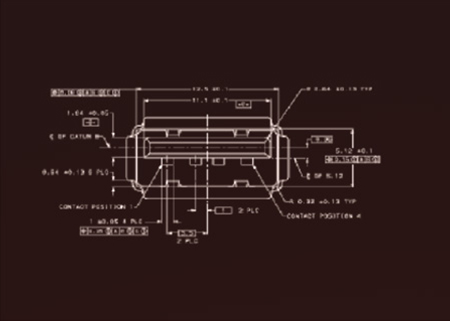
Connector dimensions for the USB-A application shown
The illustration shows connector dimensions of 12.5 mm × 5.12 mm for this USB-A application. Check suitability at the particular port.
POINT 04
Reliable product quality
Products with a quality guarantee and after-sales service
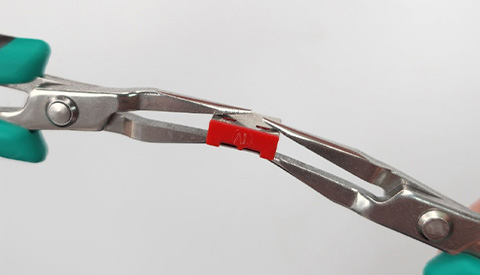
Robust physical locking
USB Port Lock locks inside the port and makes unauthorised removal more difficult. It restricts physical access to the port.
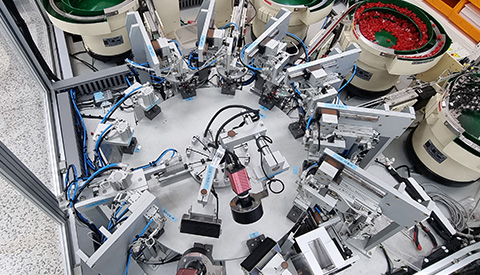
Manufacturing with reliable after-sales service
These reliable products have proven themselves for 15 years. Products with defects not caused by improper handling are replaced.
Universal Lock Key 3 is replaced free of charge on a 1 : 1 basis during the maintenance period, regardless of whether the user was at fault.
POINT 05
Tamper-deterring design
Resists forcible removal and can be opened only with a special key
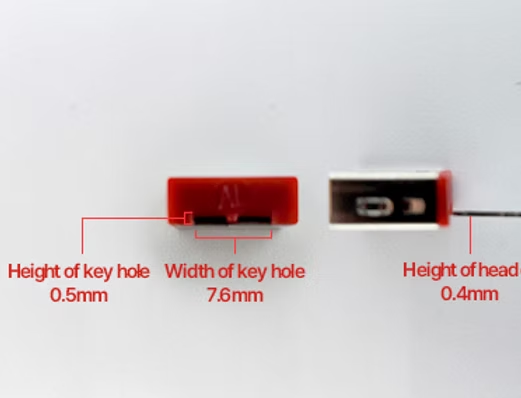
The narrow key opening makes access with foreign objects more difficult. Normal unlocking uses a matching coded release key.
USB Port Lock has a 0.5 mm keyhole into which inserting foreign objects is extremely difficult. It can be unlocked only with a special key 0.4 mm thick.
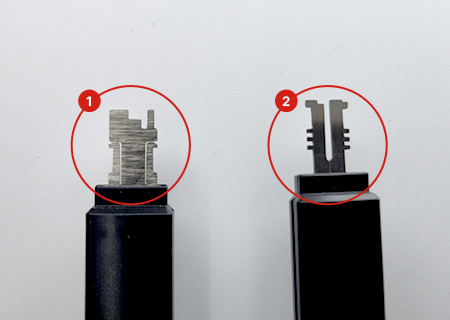
Unlocked with uniquely coded keys and incompatible with other manufacturers' products.
The unlocking key and lock must have the same key profile (code). The image on the right shows keys 1 and 2 with different blades (codes): only keys with the exact same pattern can open USB Port Lock. This maintains a high security standard and prevents unauthorised access.
POINT 06
Safe product operation
Separate areas for power contacts and unlocking
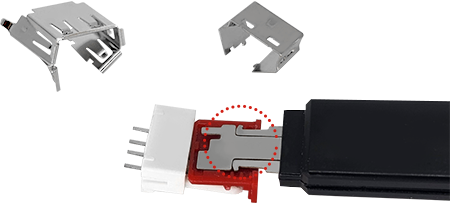
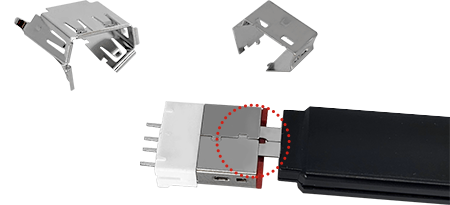
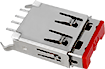
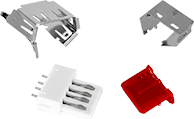
The illustrations show USB Port Lock during installation and unlocking, including the separation between the power contacts and the key opening.
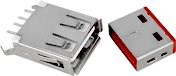
The two locations circled in red in image 03 are the USB port's power contacts. Metal must never touch this area because it could cause a short circuit.
Construction during unlocking
An internal moulded insulating plastic part covers the area of the USB port power contacts. The release key enters through the opposite opening, which is separated from the power contacts by this plastic part.
The outer metal housing surrounds the internal moulded plastic part. Follow the model-specific manual for installation and removal.
01
02
03
04